

Another Windows open-source project from Microsoft.
Microsoft first introduced the concept of “PowerToys” in Windows 95. It was originally a way for Windows engineers to test a prototype feature, and Microsoft packaged some of the best ones into a PowerToys bundle. These PowerToys included popular utilities like Tweak UI to customize the Windows user interface, Quick Res to quickly change screen resolutions, and Send To X that let you send files and folders to the command line, clipboard, or desktop.
PowerToys disappeared after Windows XP, during a time when co-founder Bill Gates ordered a security review of everything that was going into Windows. These useful utilities are now being revived by Microsoft in a new effort to focus on what power users need in Windows 10. The software giant is open-sourcing PowerToys on GitHub, so anyone can contribute and create power user tools for Windows 10.
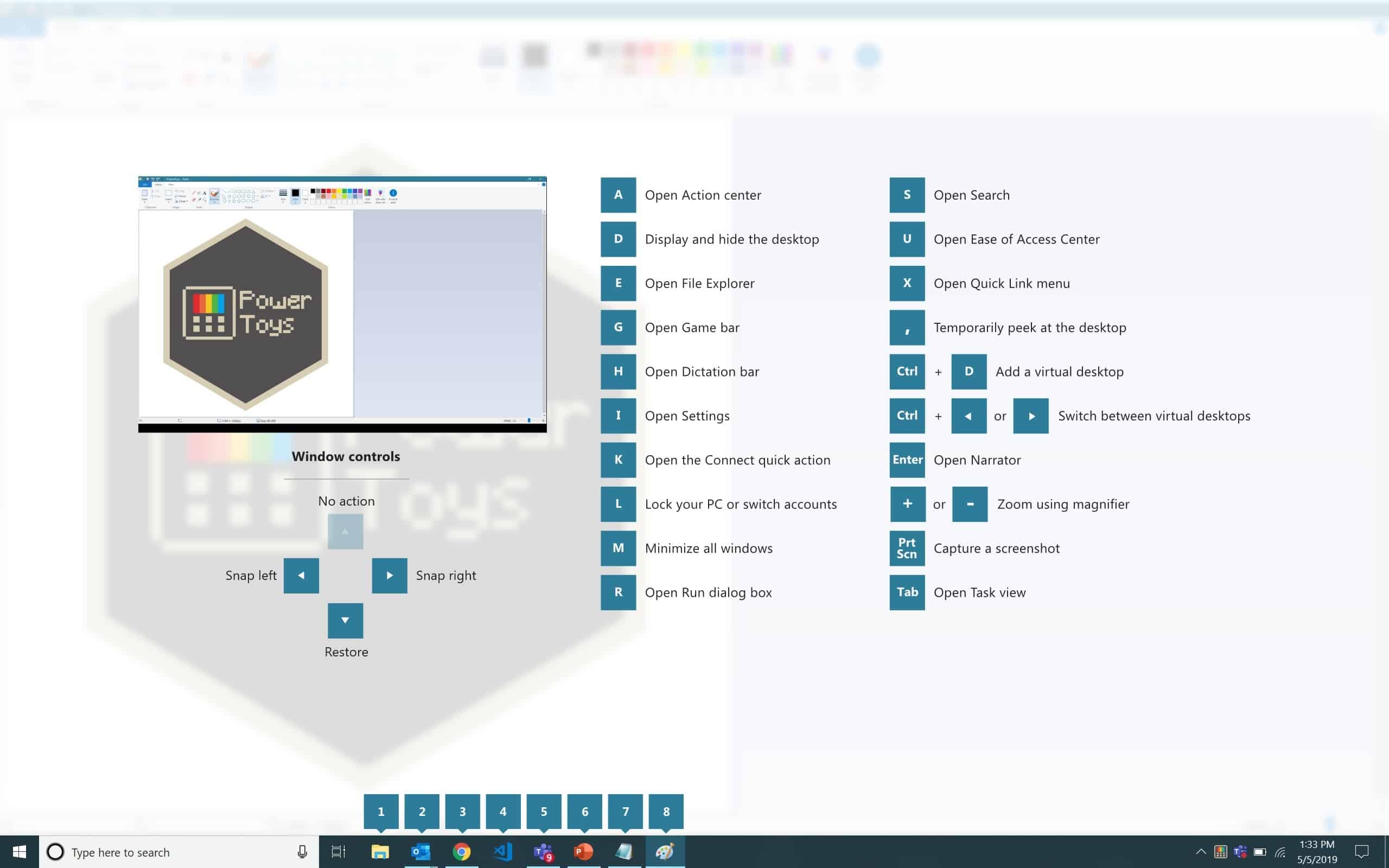
The first two utilities that Microsoft is working on for Windows 10 are a new maximize to the desktop widget and a Windows key shortcut guide. The maximize to desktop widget places a pop-up button over the maximize button when you hover over it. It’s designed to let you quickly send an app to another desktop, utilizing Windows 10’s multi-desktop view. The Windows shortcut guide utility simply shows a keyboard shortcut guide when you hold down the Windows key.
Microsoft is also considering 10 other utilities for these new PowerToys for Windows 10:
- Full window manager, including specific layouts for docking and undocking laptops
- Keyboard shortcut manager
- Win+R replacement
- Better alt+tab including browser tab integration and search for running apps
- Battery tracker
- Batch file re-namer
- Quick resolution swaps in the taskbar
- Mouse events without focus
- Cmd (or PS or Bash) from here
- Contents menu file browsing
Microsoft is looking for feedback and contributions over on GitHub, much like how the company recently open-sourced its Windows calculator for additional input and ideas. That effort resulted in a graphing mode being added to the Windows calculator. Microsoft is now planning to preview these PowerToys utilities in the summer, alongside the corresponding source code being published on GitHub.


0 Comments